
 HP Laserjet Pro P1606dn

 Oki C8600
 Oki C5950n
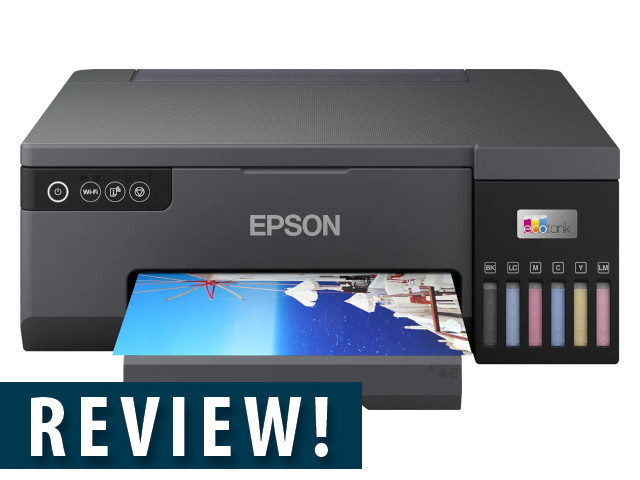
Inkjet printers have long suffered from a reputation as "cartridge guzzlers," making one hesitant to print anything in colour unless absolutely necessary. However, the advent of ink tank systems, offering significantly larger ink capacities at a more economical cost, has started to shift the tide back from laserjets. Epson, a pioneer in this space with its EcoTank solution, recently sent their Epson L8050 photo printer for review. The company pitches this a low-cost A4 photo printer, so let's see if this holds up.
Print is NB
As a photography enthusiast, a printer like this is right up my alley. While having a digital archive or a collection of photos on Instagram might be important, there is nothing quite as satisfying as seeing a photo framed and hanging on a wall. There is something to the printed image that far transcends that in a digital format.
Connecting the L8050 to the Wi-Fi network was relatively straightforward, though I did have to hunt for the Wi-Fi administrator password, located under the printer's hood. One notable difference with the L8050 is the absence of an on-device display, making you reliant on your PC or phone for setup. This also meant that troubleshooting through the digital manual on the app was a bit of a pain. I highly recommend downloading the user manual as a PDF for easier access here.
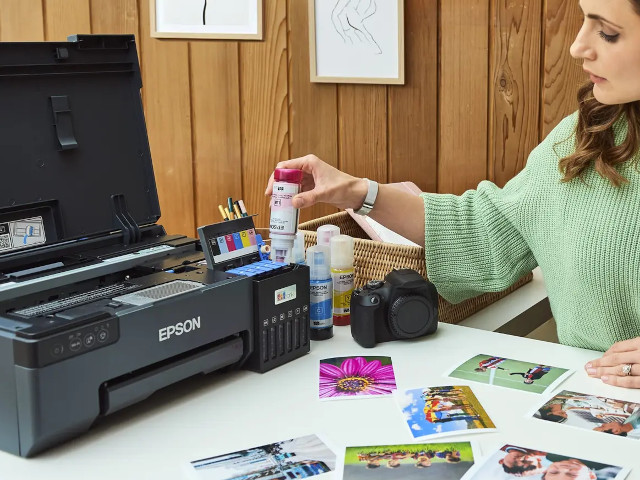
Filling up to get started
Initially, I braced myself for a messy ordeal when transferring ink from the six 70 ml bottles to the EcoTank, but it proved surprisingly painless, with only one minor spillage. An added bonus? The tanks filled with a bit of ink to spare, leaving a small reserve in case of an "ink emergency."
For printing, I primarily used the Epson app on my Android device. And it proved successful once I figured out that you can’t switch to any other app without printing having been completed – doing so will result in an incomplete print and photo paper wasted. Despite this quirk, the waiting time for photos was quite good considering the print quality on offer.
Print quality impresses
And yes, the print quality is wonderful. It's also difficult to fault the L8050 on colour reproduction, a science in itself that professional photo printing studios grapple with daily. This impressive quality is thanks in no small part to the minute 1.5 pl droplet size and a print resolution of 5760 x 1440 DPI (a significant improvement over my regular colour inkjet's 4800 x 1200). The L8050 also utilises a six-ink setup, including the less common Light Cyan and Light Magenta, which contributes to its superior colour reproduction.
My review period concluded after printing approximately 25 A4 photographs, a few smaller photos, and a couple of documents. Remarkably, the ink tanks were still at the halfway mark, with of course a bit of ink spare in the bottles.
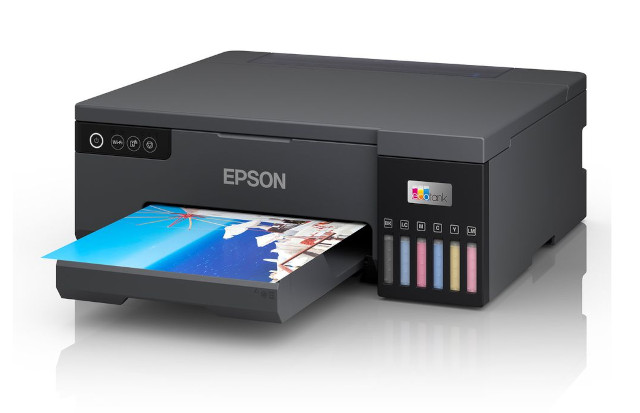
It's important to remember that when you purchase the Epson L8050, you're getting a dedicated photo printer - there are no added scanner or copier functions included.
Final thoughts
While it took some time to get used to the Epson L8050's quirks, particularly relying on software/app control rather than an on-device display, it consistently performed when it came to photo printing. The print quality is excellent, so much so that I ended up framing two A4 prints for my wall.
The Epson L8050 can be found for between R6 000 and R9 500, quite a price differential, so it pays to shop around. Refills for the 70 ml ink bottles seem to follow a similar pattern since the cheapest I found was R250 per bottle then going up from there. From my experience, ink levels drop uniformly, meaning you're looking at a minimum of a R1 500 investment for a full set of refills. While this might seem substantial, it's a far more economical solution than continually replacing traditional ink cartridges.
For photographers who are dependent on photo prints – either 4x6 inches or A4, border or borderless, or on matte or gloss paper – the Epson L8050 should be high up on your wish list.


-2.jpg) Encryption - the good and the bad
Encryption - the good and the bad Shrek Forever After
 TomTom Go920
 Axe-wielding Goat Simulator set for late March arrival on Steam